![measurable-energy-logo-light-purple-help.svg]](https://support.measurable.energy/hubfs/Logos/measurable-energy-logo-light-purple-help.svg)
measurable.energy devices feature physical buttons that allow you to control power to connected equipment and perform actions such as overriding rules or resetting the device.
The number and location of these buttons vary depending on the device type. This guide explains where to find them and how they work.
Power Socket
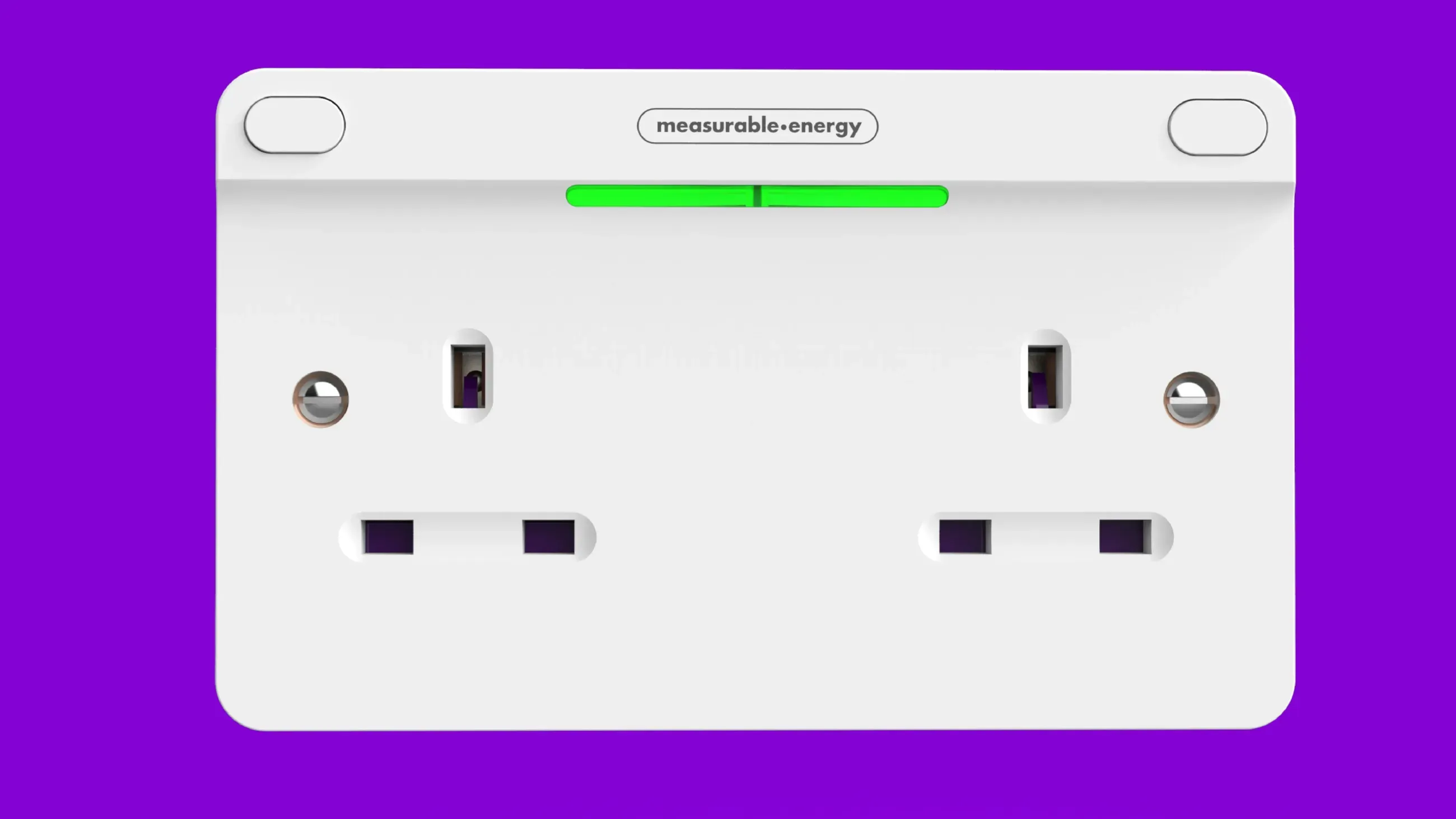
The m.e Power Socket has two buttons, located in the top-left and top-right corners of the unit.
Each button controls the socket directly below it:
- Left button: Controls the left socket.
- Right button: Controls the right socket.
For example, to turn on power to the left socket, simply press the left button.
Resetting the device: Press and hold both buttons simultaneously for 25 seconds.
Fused Spur
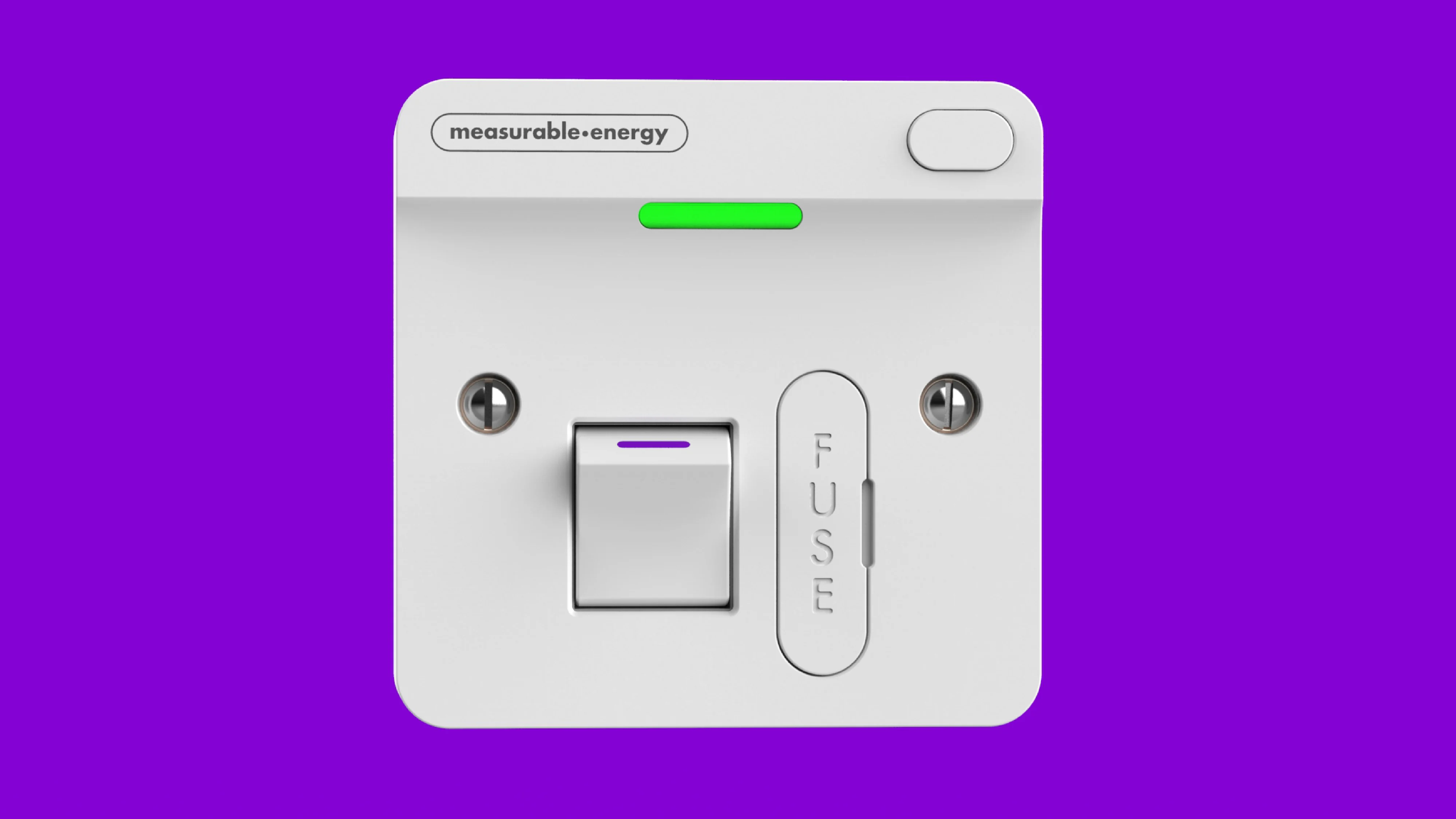
The m.e Fused Spur has a button in the top-right corner and an isolator switch in the centre of the unit.
These serve different purposes:
- Top-right button: Used to override a rule.
- Isolator switch: Used to isolate power to a downstream device.
Whenever m.e documentation refers to pressing a button on a Fused Spur, this means the button in the top-right corner, not the isolator switch.
Resetting the device: Press and hold the top-right button for 25 seconds.
Extension Lead
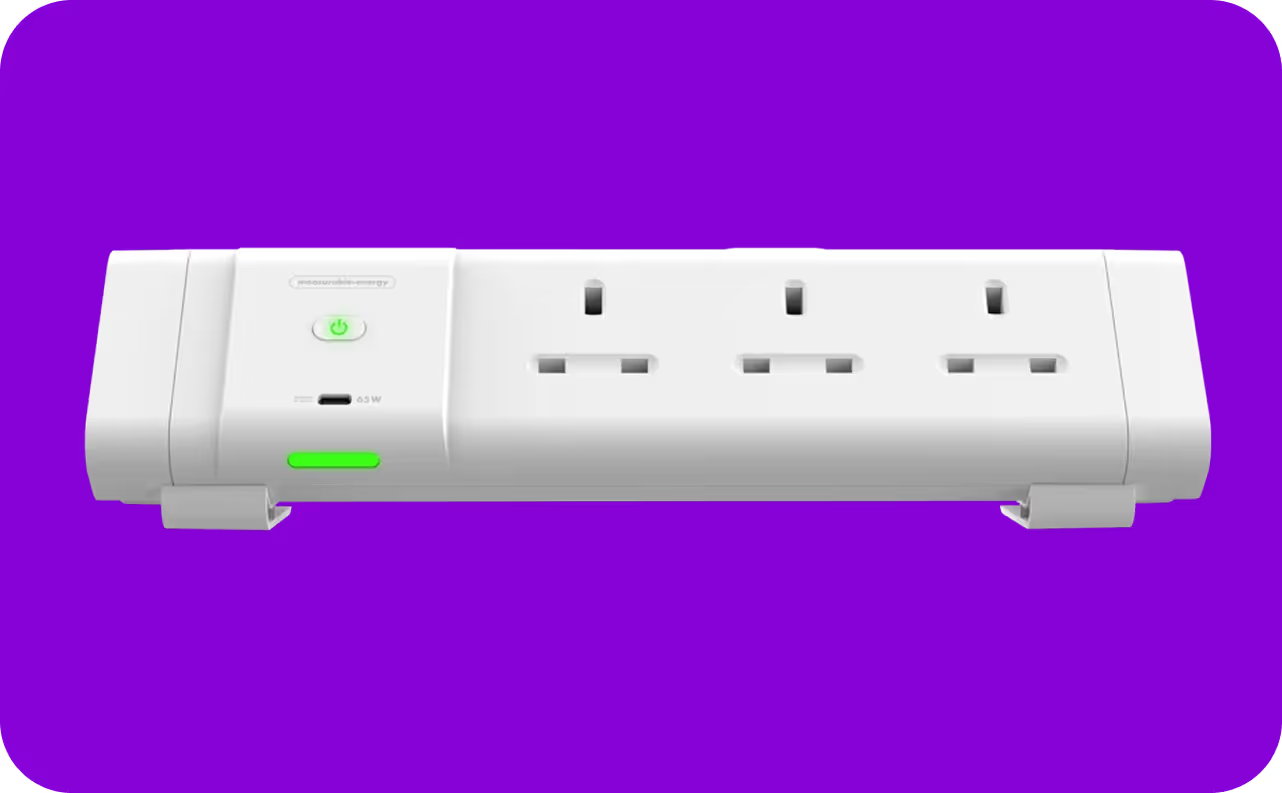
The m.e Desk and Underdesk Modules have a single button, located on the centre-left of the unit, directly below the measurable.energy logo.
If the module is not supplying power, pressing this button will restore power to all outlets.
Resetting the device: Press and hold the button located beneath the measurable.energy logo for 25 seconds.