![measurable-energy-logo-light-purple-help.svg]](https://support.measurable.energy/hubfs/Logos/measurable-energy-logo-light-purple-help.svg)
By default, energy costs are calculated at £0.30/kWh if no tariff has been set.
If your site has a different energy rate, you can create a custom tariff. You can also add multiple rates if your tariff changes depending on the time of day.
Please note: Changes to your tariff are not applied retrospectively. Previously measured energy usage and savings will not be recalculated
1. Open your site
Navigate to the measurable.energy Hub.
2. Select the site
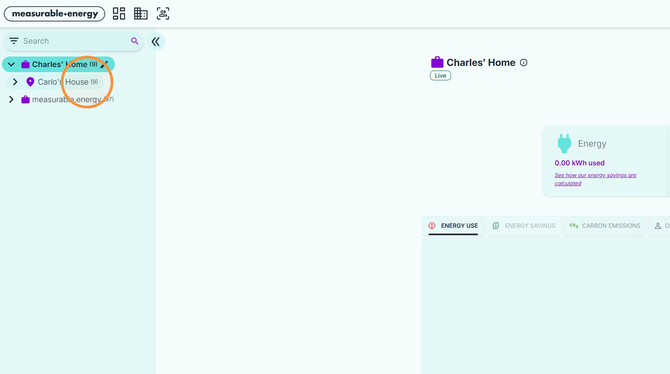
Select the site you want to add a tariff to.
3. Edit the site
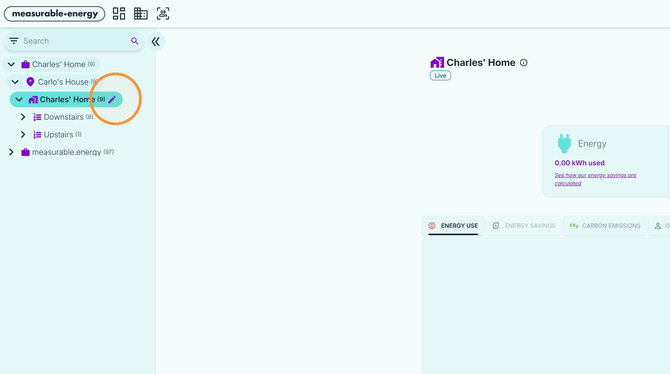 Click the edit icon next to the site.
4. Add a new tariff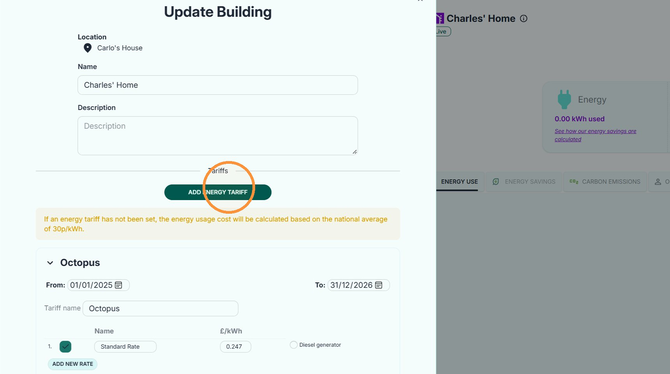 Click Add Energy Tariff.
5. Expand the new tariff
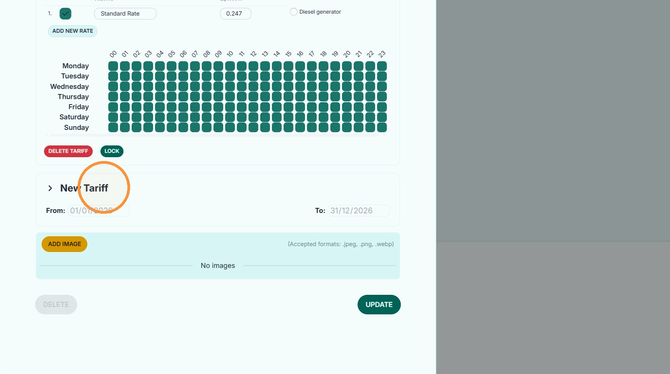 Click New Tariff to expand the tariff that was created when you selected Add Energy Tariff.
6. Edit the tariff
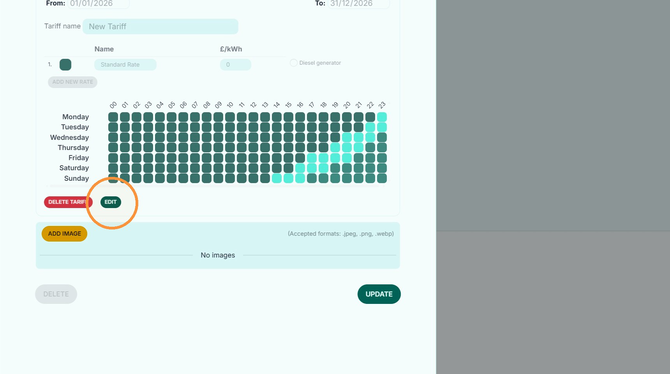 Click Edit to start .
7. Enter the tariff details
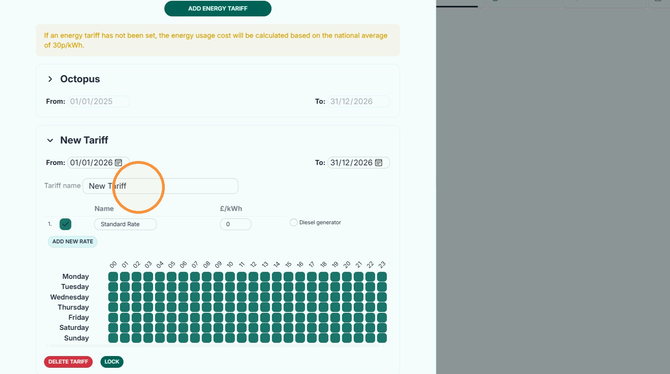
Name the tariff if required and set the dates it will be valid for.
8. Enter your energy rate
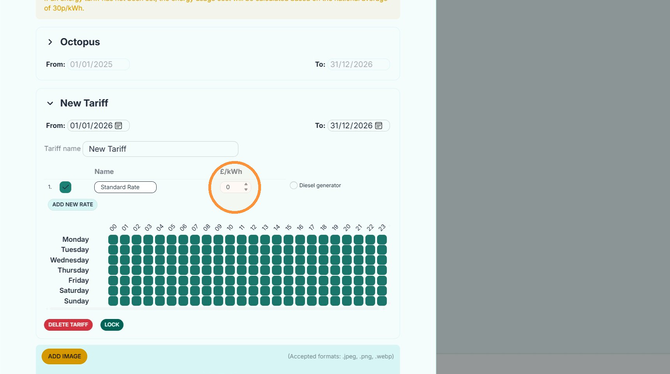 Enter the tariff rate in the £/kWh field.
If your tariff varies depending on the time of day, you can add additional rates and assign them to specific hours.
9. Add another rate
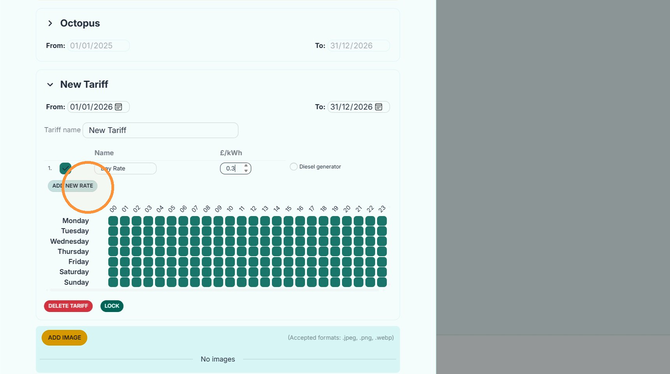 Click Add New Rate.
10. Name the new rate
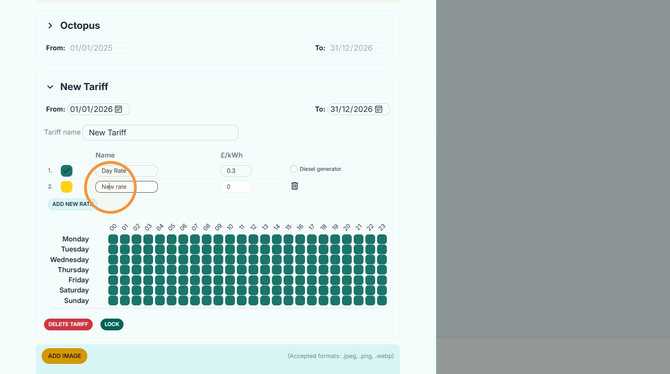 Enter a name for the rate, for example Day Rate or Night Rate, and enter the corresponding £/kWh rate.
11. Set the hours for your first rate
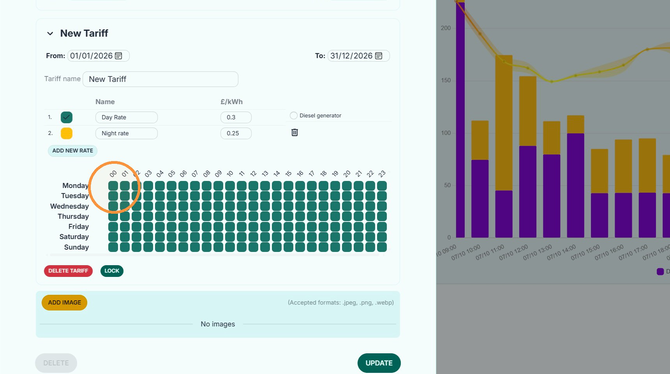 Select the hours in the tariff schedule when your first rate should apply.
12. Select your second rate
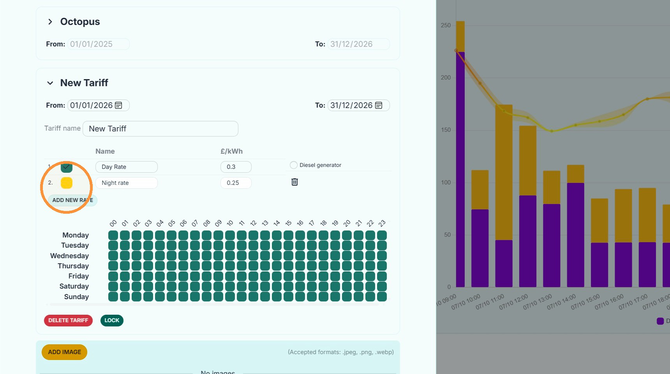 Select the second rate you want to apply to the schedule.
13. Set the hours for your second rate
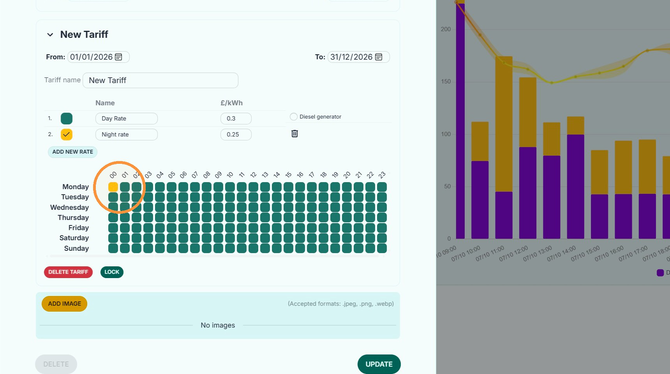 Select the hours during which your second rate should be charged.
14. Save your tariff
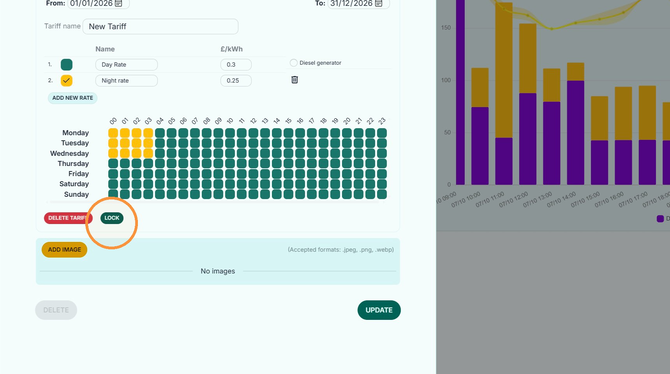 When you have finished configuring your tariff, click Lock, then click Update to save your changes.