![measurable-energy-logo-light-purple-help.svg]](https://support.measurable.energy/hubfs/Logos/measurable-energy-logo-light-purple-help.svg)
The buttons on m.e units installed in walls and floor boxes can typically be found on the top corners of the unit.
Power Socket
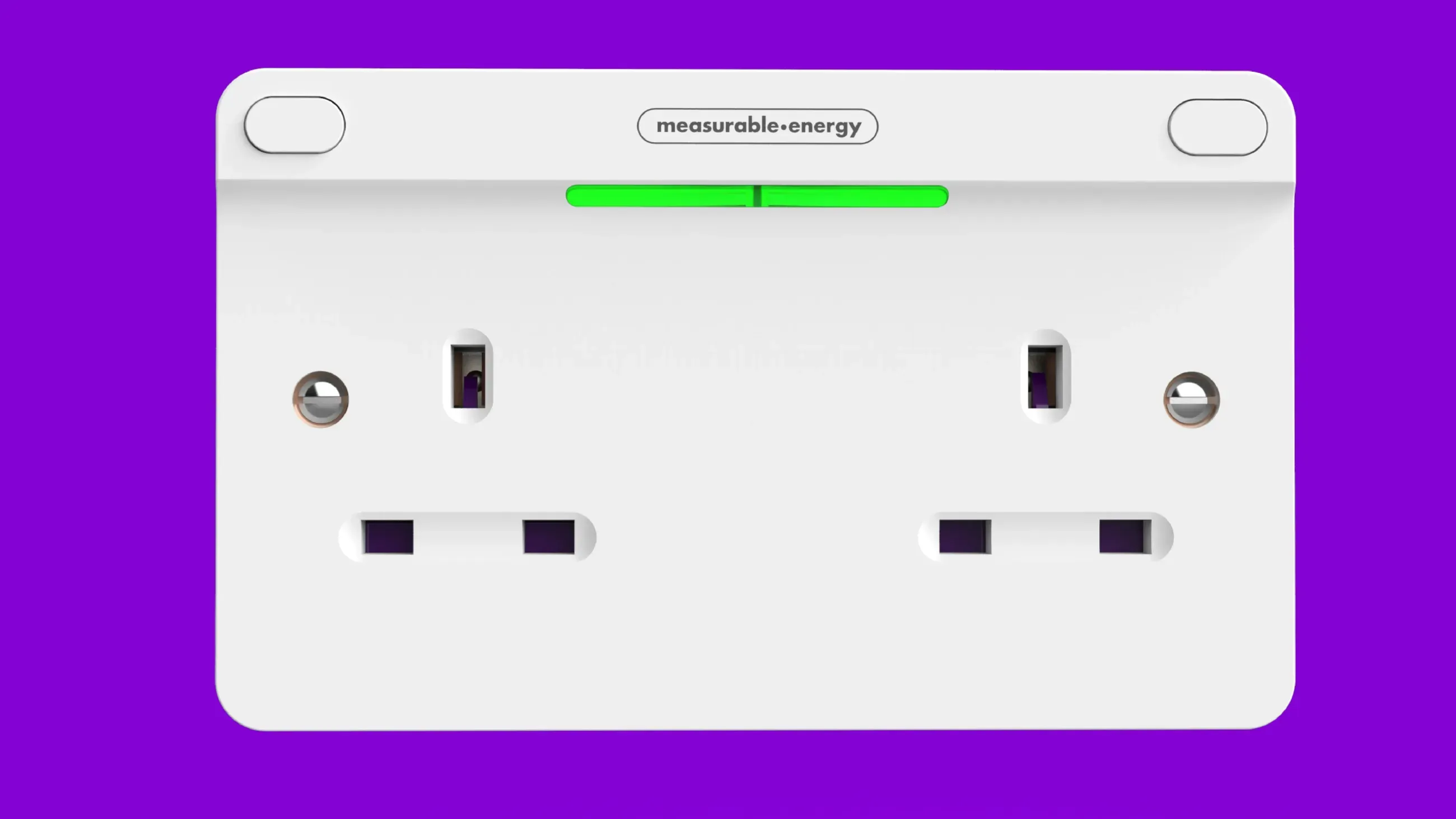
There are two buttons present on m.e Power Sockets, one in each top corner. Each button corresponds to it's nearest port/outlet. For example, to turn on the left port, you will need to press the left button.
To reset a m.e Power Socket, both buttons will need to be held.
Fused Spur
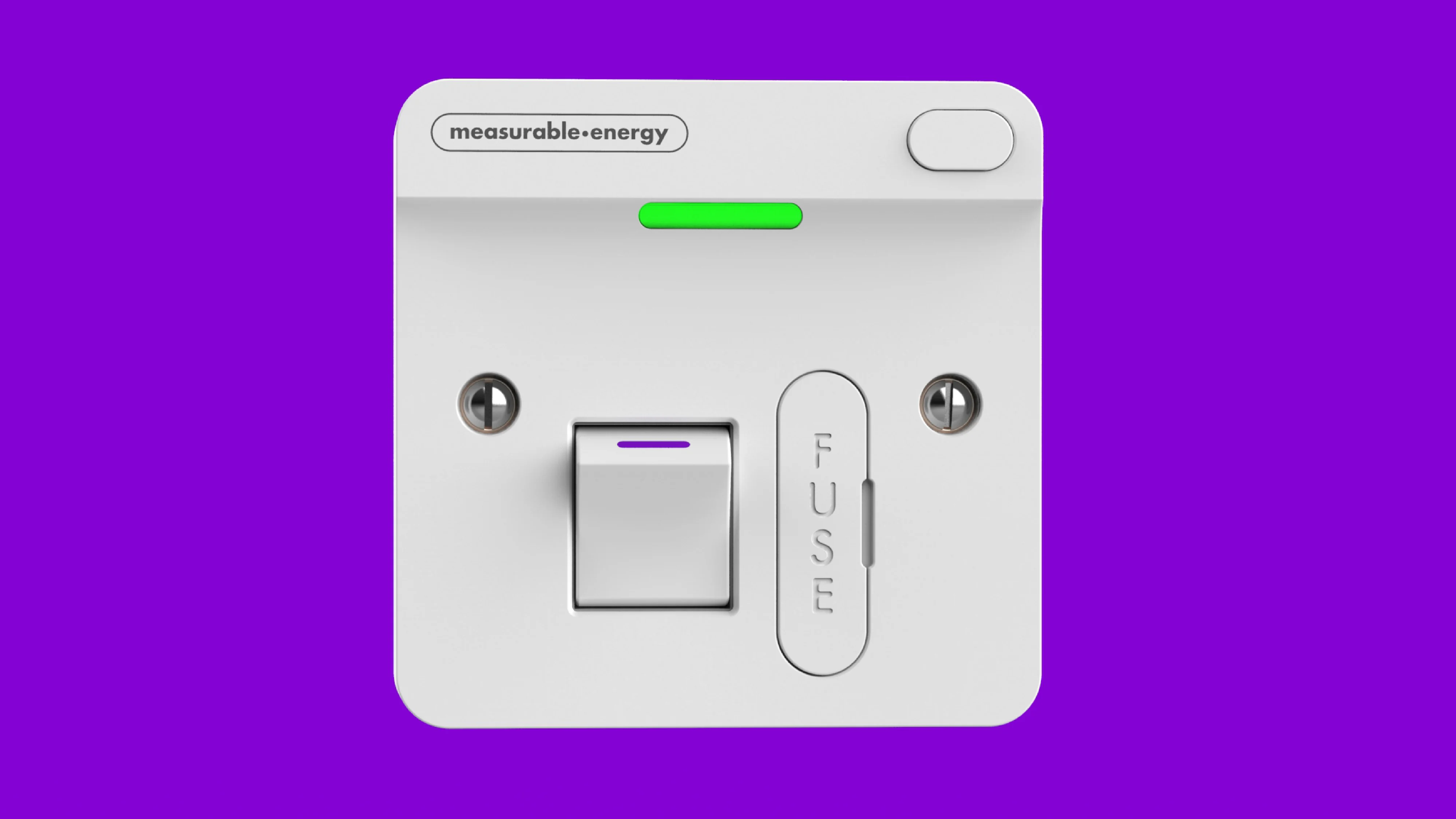
There is both a button in the top right corner, and an isolator switch in the middle present on m.e Fused Spurs. The isolator switch can be used to isolate a downstream device. The button can be used to override a rule. Where m.e documentation refers to buttons, on the m.e Fused Spurs this is the button in the top right corner.
When reset a m.e Fused Spur, only the top right corner button will need to be held.
Extension Lead
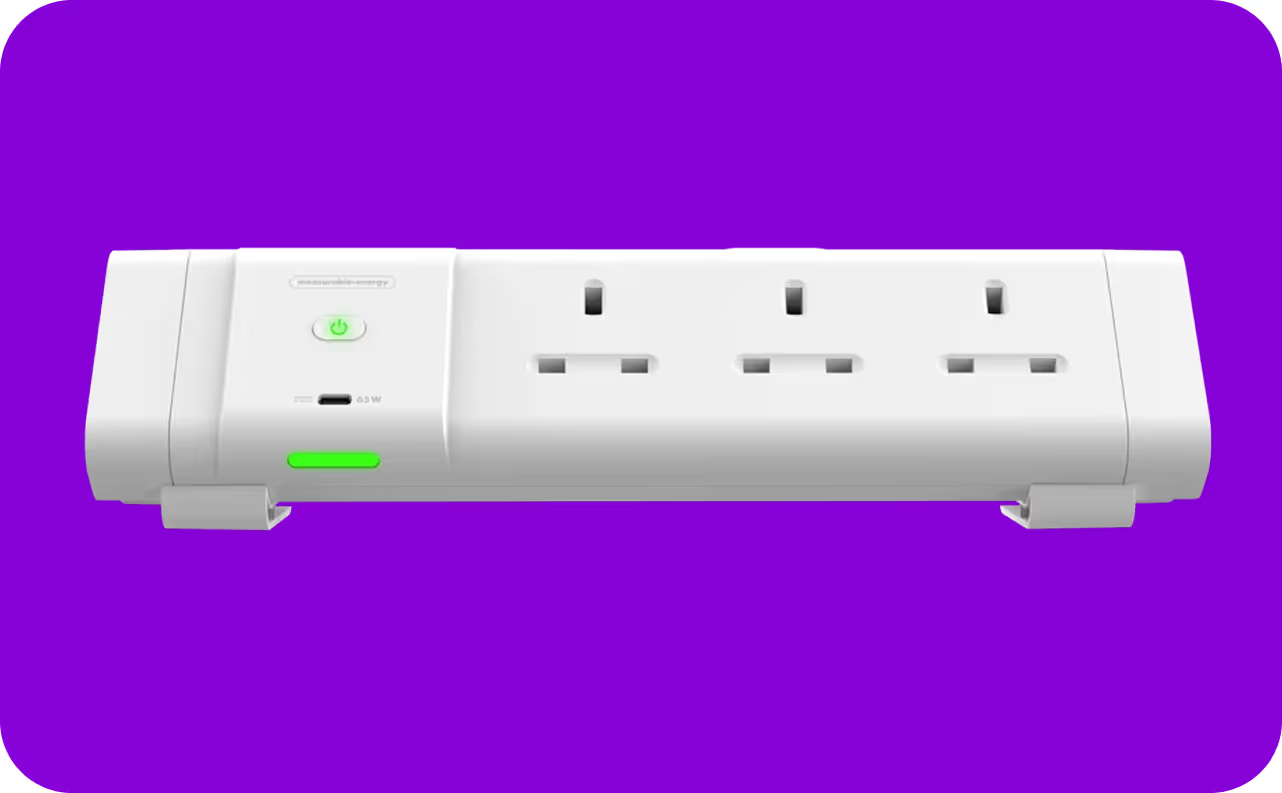
There is one button present on m.e Desk and Underdesk Modules. The button can be found underneath the measurable.energy logo on the centre left of the unit. If the unit is not supplying power, pressing this button will supply power from all outlets/ports.
When resetting a m.e Desk Module or Underdesk Module, only the button will need to be held.